
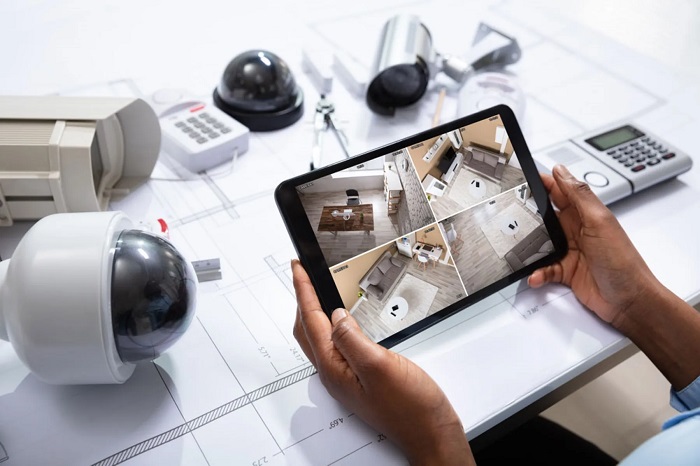
Installing CCTV cameras is a key step in securing your home or office, but simply having cameras is not enough. To ensure maximum effectiveness, you need strategic placement, proper configuration, and ongoing monitoring. Optimizing CCTV coverage helps prevent blind spots, improves image quality, and enhances overall security.
This article provides practical tips on how to optimize CCTV coverage to safeguard your property and assets effectively.
1. Conduct a Security Assessment
Before installing cameras, assess your property to identify vulnerable areas. Consider:
- Entrances and exits, including doors and windows
- Hallways, staircases, and corridors
- Parking lots, garages, and driveways
- Outdoor areas like gardens, patios, and fences
- High-value zones such as safes, offices, or storage areas
Mapping out these areas allows you to determine the number and type of cameras needed for complete coverage.
2. Choose the Right Camera Types
Different areas require different types of cameras:
- Dome Cameras: Ideal for indoor use in offices or hallways due to their discreet design.
- Bullet Cameras: Best for long-distance outdoor coverage such as driveways or entrances.
- PTZ Cameras: Useful for monitoring large areas with adjustable angles and zoom.
- IP Cameras: Perfect for remote monitoring of multiple locations via smartphone or computer.
- Infrared/Night Vision Cameras: Essential for low-light or nighttime surveillance.
Selecting the right camera type for each area ensures optimal visibility and monitoring.
3. Strategic Camera Placement
Proper placement is critical for minimizing blind spots and maximizing coverage:
- Entrances and Exits: Place cameras at all main entry points to capture clear images of faces.
- High Traffic Areas: Monitor hallways, lobbies, and reception areas.
- Outdoor Surveillance: Position cameras to cover driveways, parking areas, and backyards. Ensure they are protected from vandalism and weather.
- Height and Angle: Mount cameras high enough to prevent tampering but at an angle that clearly captures faces and movements.
- Avoid Obstructions: Keep cameras free from trees, walls, or furniture that may block the view.
4. Optimize Lighting Conditions
Lighting significantly affects CCTV image quality:
- Daytime: Ensure cameras are not facing direct sunlight to prevent glare.
- Nighttime: Use infrared cameras or install adequate outdoor lighting to maintain visibility.
- Indoor Areas: Ensure well-lit spaces for better facial recognition and clear footage.
Proper lighting enhances video clarity, making it easier to identify individuals or objects.
5. Adjust Camera Settings
Most modern CCTV cameras allow you to customize settings for optimal performance:
- Resolution: Higher resolution provides clearer images, useful for identifying faces and license plates.
- Frame Rate: Smooth video capture improves detail, especially in high-motion areas.
- Motion Detection: Adjust sensitivity to avoid false alarms from pets, wind, or shadows.
- Zoom and Focus: Ensure cameras are properly focused on the area of interest.
Regularly reviewing and updating settings ensures consistent performance.
6. Use Overlapping Coverage
To avoid blind spots, overlap camera fields of view where possible.
- Position multiple cameras so that one area is captured from different angles.
- Ensure critical areas such as entrances, cash registers, or storage rooms are monitored by more than one camera.
- Overlapping coverage increases security and improves evidence capture in case of incidents.
7. Regular Maintenance and Monitoring
CCTV systems require ongoing maintenance to remain effective:
- Clean Lenses: Remove dust, dirt, or cobwebs that can obstruct vision.
- Check Connections: Ensure all cables, network connections, and power supplies are intact.
- Update Firmware: Keep camera software updated for security and performance improvements.
- Review Footage: Regularly check recordings to verify camera angles and functionality.
Consistent maintenance ensures your system operates at peak efficiency.
8. Integrate with Other Security Measures
CCTV coverage is most effective when combined with other security measures:
- Alarm Systems: Trigger alerts when motion is detected or unauthorized entry occurs.
- Access Control: Integrate with electronic locks or keycard systems.
- Remote Monitoring: Use apps or software to monitor cameras in real-time from anywhere.
- Lighting and Signage: Visible cameras and proper lighting deter potential intruders.
A layered security approach strengthens protection and enhances surveillance effectiveness.
Conclusion
Optimizing CCTV coverage involves strategic placement, appropriate camera selection, proper lighting, and regular maintenance. By assessing vulnerable areas, adjusting settings, overlapping fields of view, and integrating with other security measures, you can maximize the effectiveness of your CCTV system.
Whether for a home, office, or commercial property, following these guidelines ensures comprehensive coverage, deters crime, and provides peace of mind knowing your property is well-protected.